| 所在主题: | |
| 文件名: Oreilly.R.Graphics.Cookbook.Dec.2012.pdf | |
| 资料下载链接地址: https://bbs.pinggu.org/a-1269189.html | |
| 附件大小: | |
|
http://www.amazon.com/gp/product/1449316956/ref=s9_psimh_gw_p14_d1_i5?pf_rd_m=ATVPDKIKX0DER&pf_rd_s=center-2&pf_rd_r=1W6X9QXGACYHDAD3CGTM&pf_rd_t=101&pf_rd_p=1389517282&pf_rd_i=507846 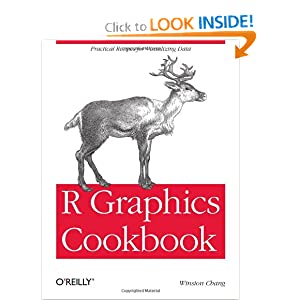 table of contents Preface ix 1. R Basics 1 1.1. Installing a Package 1 1.2. Loading a Package 2 1.3. Loading a Delimited Text Data File 3 1.4. Loading Data from an Excel File 4 1.5. Loading Data from an SPSS File 5 2. Quickly Exploring Data 7 2.1. Creating a Scatter Plot 7 2.2. Creating a Line Graph 9 2.3. Creating a Bar Graph 11 2.4. Creating a Histogram 13 2.5. Creating a Box Plot 15 2.6. Plotting a Function Curve 17 3. Bar Graphs 19 3.1. Making a Basic Bar Graph 19 3.2. Grouping Bars Together 22 3.3. Making a Bar Graph of Counts 25 3.4. Using Colors in a Bar Graph 27 3.5. Coloring Negative and Positive Bars Differently 29 3.6. Adjusting Bar Width and Spacing 30 3.7. Making a Stacked Bar Graph 32 3.8. Making a Proportional Stacked Bar Graph 35 3.9. Adding Labels to a Bar Graph 38 3.10. Making a Cleveland Dot Plot 42 4. Line Graphs 49 4.1. Making a Basic Line Graph 49 4.2. Adding Points to a Line Graph 52 4.3. Making a Line Graph with Multiple Lines 53 4.4. Changing the Appearance of Lines 58 4.5. Changing the Appearance of Points 59 4.6. Making a Graph with a Shaded Area 62 4.7. Making a Stacked Area Graph 64 4.8. Making a Proportional Stacked Area Graph 67 4.9. Adding a Confidence Region 69 5. Scatter Plots 73 5.1. Making a Basic Scatter Plot 73 5.2. Grouping Data Points by a Variable Using Shape or Color 75 5.3. Using Different Point Shapes 77 5.4. Mapping a Continuous Variable to Color or Size 80 5.5. Dealing with Overplotting 84 5.6. Adding Fitted Regression Model Lines 89 5.7. Adding Fitted Lines from an Existing Model 94 5.8. Adding Fitted Lines from Multiple Existing Models 97 5.9. Adding Annotations with Model Coefficients 100 5.10. Adding Marginal Rugs to a Scatter Plot 103 5.11. Labeling Points in a Scatter Plot 104 5.12. Creating a Balloon Plot 110 5.13. Making a Scatter Plot Matrix 112 6. Summarized Data Distributions 117 6.1. Making a Basic Histogram 117 6.2. Making Multiple Histograms from Grouped Data 120 6.3. Making a Density Curve 123 6.4. Making Multiple Density Curves from Grouped Data 126 6.5. Making a Frequency Polygon 129 6.6. Making a Basic Box Plot 130 6.7. Adding Notches to a Box Plot 133 6.8. Adding Means to a Box Plot 134 6.9. Making a Violin Plot 135 6.10. Making a Dot Plot 139 6.11. Making Multiple Dot Plots for Grouped Data 141 6.12. Making a Density Plot of Two-Dimensional Data 143 7. Annotations 147 7.1. Adding Text Annotations 147 7.2. Using Mathematical Expressions in Annotations 150 7.3. Adding Lines 152 7.4. Adding Line Segments and Arrows 155 7.5. Adding a Shaded Rectangle 156 7.6. Highlighting an Item 157 7.7. Adding Error Bars 159 7.8. Adding Annotations to Individual Facets 162 8. Axes 167 8.1. Swapping X- and Y-Axes 167 8.2. Setting the Range of a Continuous Axis 168 8.3. Reversing a Continuous Axis 170 8.4. Changing the Order of Items on a Categorical Axis 172 8.5. Setting the Scaling Ratio of the X- and Y-Axes 174 8.6. Setting the Positions of Tick Marks 177 8.7. Removing Tick Marks and Labels 178 8.8. Changing the Text of Tick Labels 180 8.9. Changing the Appearance of Tick Labels 182 8.10. Changing the Text of Axis Labels 184 8.11. Removing Axis Labels 185 8.12. Changing the Appearance of Axis Labels 187 8.13. Showing Lines Along the Axes 189 8.14. Using a Logarithmic Axis 190 8.15. Adding Ticks for a Logarithmic Axis 196 8.16. Making a Circular Graph 198 8.17. Using Dates on an Axis 204 8.18. Using Relative Times on an Axis 207 9. Controlling the Overall Appearance of Graphs 211 9.1. Setting the Title of a Graph 211 9.2. Changing the Appearance of Text 213 9.3. Using Themes 216 9.4. Changing the Appearance of Theme Elements 218 9.5. Creating Your Own Themes 221 9.6. Hiding Grid Lines 222 10. Legends 225 10.1. Removing the Legend 225 10.2. Changing the Position of a Legend 227 10.3. Changing the Order of Items in a Legend 229 10.4. Reversing the Order of Items in a Legend 231 10.5. Changing a Legend Title 232 10.6. Changing the Appearance of a Legend Title 235 10.7. Removing a Legend Title 236 10.8. Changing the Labels in a Legend 237 10.9. Changing the Appearance of Legend Labels 239 10.10. Using Labels with Multiple Lines of Text 240 11. Facets 243 11.1. Splitting Data into Subplots with Facets 243 11.2. Using Facets with Different Axes 246 11.3. Changing the Text of Facet Labels 246 11.4. Changing the Appearance of Facet Labels and Headers 250 12. Using Colors in Plots 251 12.1. Setting the Colors of Objects 251 12.2. Mapping Variables to Colors 252 12.3. Using a Different Palette for a Discrete Variable 254 12.4. Using a Manually Defined Palette for a Discrete Variable 259 12.5. Using a Colorblind-Friendly Palette 261 12.6. Using a Manually Defined Palette for a Continuous Variable 263 12.7. Coloring a Shaded Region Based on Value 264 13. Miscellaneous Graphs 267 13.1. Making a Correlation Matrix 267 13.2. Plotting a Function 271 13.3. Shading a Subregion Under a Function Curve 272 13.4. Creating a Network Graph 274 13.5. Using Text Labels in a Network Graph 278 13.6. Creating a Heat Map 281 13.7. Creating a Three-Dimensional Scatter Plot 283 13.8. Adding a Prediction Surface to a Three-Dimensional Plot 285 13.9. Saving a Three-Dimensional Plot 289 13.10. Animating a Three-Dimensional Plot 291 13.11. Creating a Dendrogram 291 13.12. Creating a Vector Field 294 13.13. Creating a QQ Plot 299 13.14. Creating a Graph of an Empirical Cumulative Distribution Function 301 13.15. Creating a Mosaic Plot 302 13.16. Creating a Pie Chart 307 13.17. Creating a Map 309 13.18. Creating a Choropleth Map 313 13.19. Making a Map with a Clean Background 317 13.20. Creating a Map from a Shapefile 319 14. Output for Presentation 323 14.1. Outputting to PDF Vector Files 323 14.2. Outputting to SVG Vector Files 325 14.3. Outputting to WMF Vector Files 325 14.4. Editing a Vector Output File 326 14.5. Outputting to Bitmap (PNG/TIFF) Files 327 14.6. Using Fonts in PDF Files 330 14.7. Using Fonts in Windows Bitmap or Screen Output 332 15. Getting Your Data into Shape 335 15.1. Creating a Data Frame 336 15.2. Getting Information About a Data Structure 337 15.3. Adding a Column to a Data Frame 338 15.4. Deleting a Column from a Data Frame 338 15.5. Renaming Columns in a Data Frame 339 15.6. Reordering Columns in a Data Frame 340 15.7. Getting a Subset of a Data Frame 341 15.8. Changing the Order of Factor Levels 343 15.9. Changing the Order of Factor Levels Based on Data Values 344 15.10. Changing the Names of Factor Levels 345 15.11. Removing Unused Levels from a Factor 347 15.12. Changing the Names of Items in a Character Vector 348 15.13. Recoding a Categorical Variable to Another Categorical Variable 349 15.14. Recoding a Continuous Variable to a Categorical Variable 351 15.15. Transforming Variables 352 15.16. Transforming Variables by Group 354 15.17. Summarizing Data by Groups 357 15.18. Summarizing Data with Standard Errors and Confidence Intervals 361 15.19. Converting Data from Wide to Long 365 15.20. Converting Data from Long to Wide 368 15.21. Converting a Time Series Object to Times and Values 369 A. Introduction to ggplot2 373 Index 385 |
|
 熟悉论坛请点击新手指南
|
|
| 下载说明 | |
|
1、论坛支持迅雷和网际快车等p2p多线程软件下载,请在上面选择下载通道单击右健下载即可。 2、论坛会定期自动批量更新下载地址,所以请不要浪费时间盗链论坛资源,盗链地址会很快失效。 3、本站为非盈利性质的学术交流网站,鼓励和保护原创作品,拒绝未经版权人许可的上传行为。本站如接到版权人发出的合格侵权通知,将积极的采取必要措施;同时,本站也将在技术手段和能力范围内,履行版权保护的注意义务。 (如有侵权,欢迎举报) |
|

京ICP备16021002号-2 京B2-20170662号
 京公网安备 11010802022788号
论坛法律顾问:王进律师
知识产权保护声明
免责及隐私声明
京公网安备 11010802022788号
论坛法律顾问:王进律师
知识产权保护声明
免责及隐私声明




