


 发帖
发帖
 雷达卡
雷达卡


大文件传输系统解决方案
项目背景与需求分析
作为北京某软件公司的项目经理,我们近期面临一个技术挑战:在产品中集成一个高性能、高稳定性的超大文件传输系统。经过详细的需求分析,我们确认了以下核心需求:
- 大文件处理能力:支持50GB以上单个文件的传输
- 文件夹传输:保留完整的层级结构,无需打包处理
- 断点续传:支持浏览器刷新/关闭后不丢失进度
- 加密机制:支持国密SM4和AES算法
- 跨平台兼容性:支持Windows/macOS/Linux及主流浏览器(包括IE8)
- 高并发支持:避免服务器资源耗尽问题
- 企业级部署:支持私有化和公网部署
- 数据库兼容性:支持MySQL并可扩展至SQL Server/Oracle
技术栈集成:与现有JSP后端、Vue2前端、阿里云OSS无缝集成
技术选型与架构设计
1. 整体架构
我们设计的分层架构如下:
[客户端] → [负载均衡] → [Web应用层] → [文件处理层] → [存储服务层]
                      ↗             ↘
           [元数据库]                [对象存储]
2. 核心技术组件
- 分片上传:采用100MB固定分片大小,平衡网络效率和内存占用
- 断点续传服务:基于Redis+MySQL双存储机制确保进度不丢失
- 文件夹结构处理:客户端预处理+服务端还原机制
- 传输加密:支持SM4和AES-256算法,可配置切换
- 进度跟踪:WebSocket+LocalStorage双重保障
关键代码实现
前端核心代码(Vue2)
// FileUploader.vue
export default {
data() {
return {
files: [],
folders: [],
uploadStatus: {},
chunkSize: 100 * 1024 * 1024 // 100MB
}
},
methods: {
// 处理文件夹选择
handleFolderSelect(event) {
const entries = event.target.webkitEntries || event.target.entries
this.processDirectoryEntries(entries)
},
// 递归处理文件夹结构
async processDirectoryEntries(entries, path = '') {
for (let entry of entries) {
if (entry.isFile) {
const file = await this.getFileFromEntry(entry)
this.files.push({
file,
relativePath: path + file.name,
size: file.size
})
} else if (entry.isDirectory) {
const reader = entry.createReader()
const subEntries = await this.readEntries(reader)
this.processDirectoryEntries(subEntries, path + entry.name + '/')
}
}
},
// 文件分片上传
async uploadFile(fileObj) {
const file = fileObj.file
const totalChunks = Math.ceil(file.size / this.chunkSize)
const fileId = this.generateFileId(file)
// 检查已上传分片
const { uploadedChunks } = await this.checkUploadStatus(fileId)
for (let chunkIdx = 0; chunkIdx < totalChunks; chunkIdx++) {
if (uploadedChunks.includes(chunkIdx)) continue
const chunk = file.slice(
chunkIdx * this.chunkSize,
Math.min((chunkIdx + 1) * this.chunkSize, file.size)
)
const formData = new FormData()
formData.append('fileId', fileId)
formData.append('chunkIdx', chunkIdx)
formData.append('totalChunks', totalChunks)
formData.append('chunk', chunk)
formData.append('fileName', file.name)
formData.append('relativePath', fileObj.relativePath)
try {
await this.$http.post('/api/upload/chunk', formData, {
onUploadProgress: progress => {
this.updateProgress(fileId, chunkIdx, progress.loaded)
}
})
this.saveChunkStatus(fileId, chunkIdx)
} catch (error) {
console.error('上传失败:', error)
throw error
}
}
// 通知服务端合并文件
await this.$http.post('/api/upload/merge', {
fileId,
fileName: file.name,
relativePath: fileObj.relativePath,
totalChunks
})
}
}
后端核心代码(JSP)
// FileUploadServlet.java
public class FileUploadServlet extends HttpServlet {
private static final int CHUNK_SIZE = 100 * 1024 * 1024; // 100MB
protected void doPost(HttpServletRequest request, HttpServletResponse response)
throws ServletException, IOException {
String action = request.getParameter("action");
try {
if ("chunk".equals(action)) {
handleChunkUpload(request, response);
} else if ("merge".equals(action)) {
handleMerge(request, response);
} else if ("status".equals(action)) {
checkUploadStatus(request, response);
}
} catch (Exception e) {
response.sendError(HttpServletResponse.SC_INTERNAL_SERVER_ERROR,
"文件上传失败: " + e.getMessage());
}
}
private void handleChunkUpload(HttpServletRequest request, HttpServletResponse response)
throws Exception {
// 获取分片信息
String fileId = request.getParameter("fileId");
int chunkIdx = Integer.parseInt(request.getParameter("chunkIdx"));
int totalChunks = Integer.parseInt(request.getParameter("totalChunks"));
String relativePath = request.getParameter("relativePath");
// 验证分片
if (chunkIdx < 0 || chunkIdx >= totalChunks) {
throw new IllegalArgumentException("无效的分片索引");
}
// 存储分片临时文件
Part filePart = request.getPart("chunk");
String tempDir = getTempDir(fileId);
File chunkFile = new File(tempDir, "chunk_" + chunkIdx);
try (InputStream in = filePart.getInputStream();
OutputStream out = new FileOutputStream(chunkFile)) {
IOUtils.copy(in, out);
}
// 更新分片上传状态
updateChunkStatus(fileId, chunkIdx);
response.getWriter().write("{\"status\":\"success\",\"chunkIdx\":" + chunkIdx + "}");
}
private void handleMerge(HttpServletRequest request, HttpServletResponse response)
throws Exception {
String fileId = request.getParameter("fileId");
String fileName = request.getParameter("fileName");
String relativePath = request.getParameter("relativePath");
int totalChunks = Integer.parseInt(request.getParameter("totalChunks"));
// 验证所有分段是否已上传
if (!checkAllChunksUploaded(fileId, totalChunks)) {
throw new IllegalStateException("并非所有分块都已完成上传");
}
// 合并文件
String tempDir = getTempDir(fileId);
File mergedFile = mergeChunks(tempDir, fileName, totalChunks);
// 加密存储至OSS
String ossPath = storeToOSS(mergedFile, relativePath);
// 保存文件元信息
saveFileMetadata(fileId, fileName, relativePath, ossPath, mergedFile.length());
// 清除临时文件
cleanTempFiles(tempDir);
response.getWriter().write("{\"status\":\"success\",\"ossPath\":\"" + ossPath + "\"}");
}
// 其他辅助方法...
}
企业级解决方案建议
鉴于市场上开源组件无法完全符合需求,建议考虑以下两种方案:
方案一:商业软件采购
推荐产品:XX企业级文件传输中间件
核心优势:
完美契合需求功能点
提供源代码级别的技术支持
已在多个央企项目中稳定运行
支持买断授权(预算98万以内)
提供完整的资质文件(合同、软著、信创认证等)
实施步骤:
需求确认与技术评估(1周)
产品部署与集成测试(2周)
定制开发与联调(2周)
上线与运维支持(持续)
方案二:自主研发
开发周期:约3-4个月(含测试)
研发成本:约120-150万(含人力与基础设施)
风险点:
IE8兼容性实现难度高
文件系统层级处理易出错
高并发下稳定性保障需经验
实施建议
分阶段实施:先核心功能上线,再逐步优化
压力测试:模拟高并发场景验证稳定性
监控体系:建立完善的传输监控和告警机制
回滚方案:确保异常情况下可迅速恢复
总结
针对贵司的大文件传输需求,建议优先考虑成熟的商业解决方案,在保证功能完整性和稳定性的前提下,可显著降低技术风险和项目实施周期。如需进一步讨论技术细节或安排产品演示,我可随时协调相关资源。
导入项目
导入到Eclipse:
点此查看教程
导入到IDEA:
点击查看教程
springboot统一配置:
点击查看教程
工程
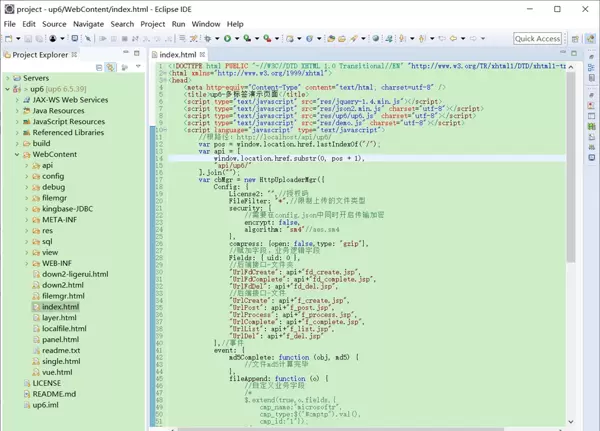
NOSQL
NOSQL示例无需任何配置,可以直接访问测试
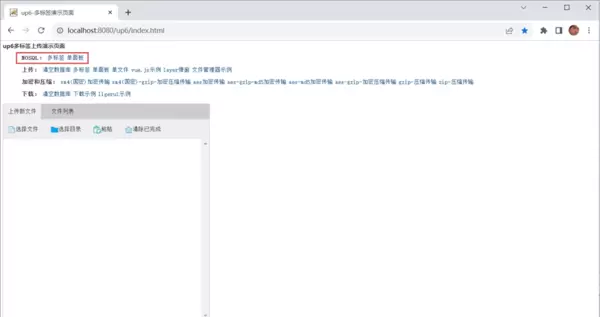
创建数据表
选择对应的数据表脚本,这里以SQL为例
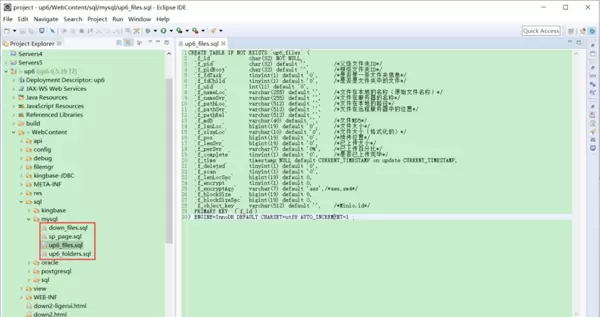
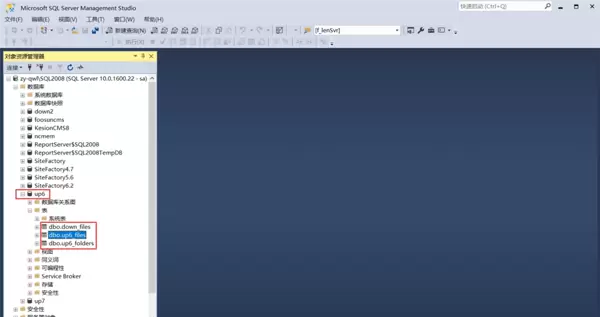
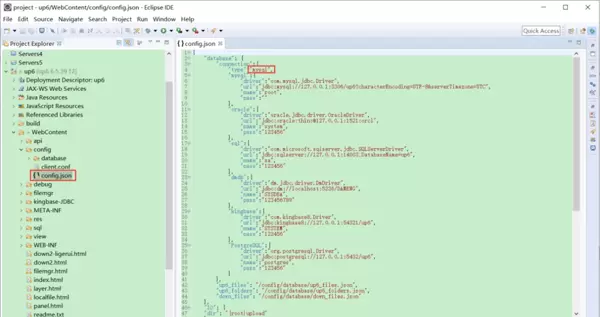
修改数据库连接信息
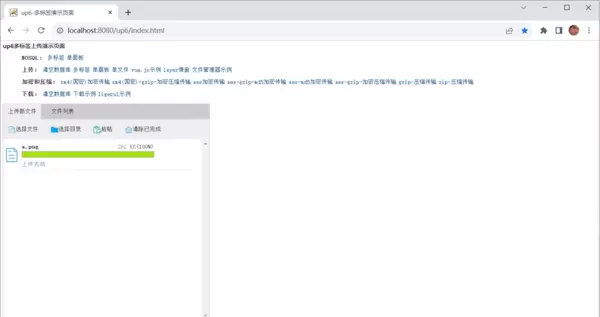
访问页面进行测试
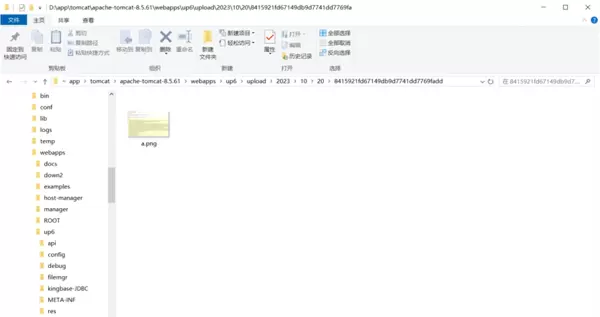
文件存储路径
up6/upload/年/月/日/guid/filename
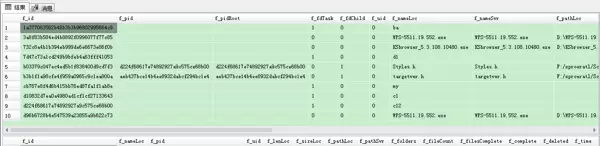
效果预览
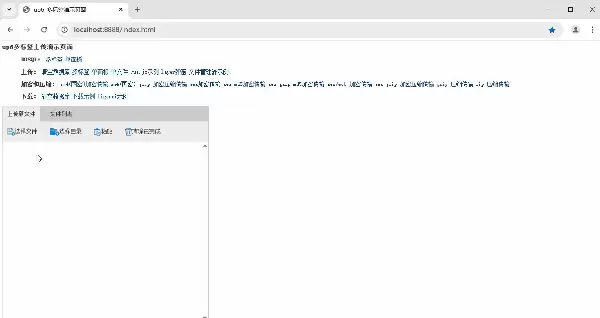
文件上传
文件刷新续传
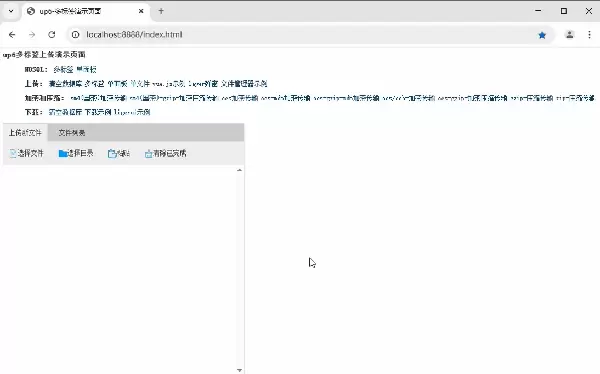
支持离线保存文件进度,在关闭浏览器,刷新浏览器后进行不丢失,仍然能够继续上传
文件夹上传
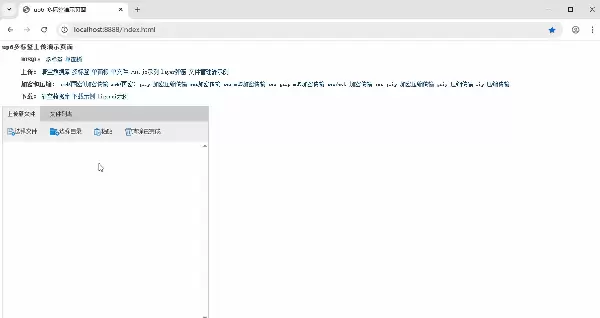
支持上传文件夹并保留层级结构,同样支持进度信息离线保存,刷新页面,关闭页面,重启系统不丢失上传进度。
下载示例
点击下载完整示例

 京公网安备 11010802022788号






