楼主: ReneeBK
879 8

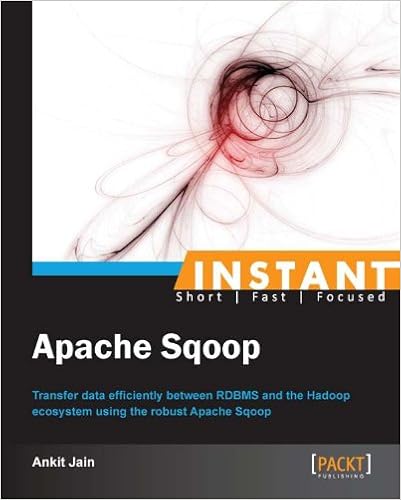
【Apache Sqoop】Instant Apache Sqoop [推广有奖]

  • 1关注
  • 62粉丝

VIP

已卖:4900份资源

学术权威

14%

还不是VIP/贵宾

-

TA的文库  其他...

R资源总汇

Panel Data Analysis

Experimental Design

威望
1
论坛币
49655 个
通用积分
55.9937
学术水平
370 点
热心指数
273 点
信用等级
335 点
经验
57805 点
帖子
4005
精华
21
在线时间
582 小时
注册时间
2005-5-8
最后登录
2023-11-26

楼主
ReneeBK 发表于 2017-3-12 08:02:02 |AI写论文
1论坛币

  1. In Detail
  2. In today’s world, data size is growing at a very fast rate, and people want to perform analytics by combining different sources of data (RDBMS, Text, and so on). Using Hadoop for analytics requires you to load data from RDBMS to Hadoop and perform analytics on that data, before then loading that process data back to RDBMS to generate business reports.

  3. Instant Apache Sqoop is a practical, hands-on guide that provides you with a number of clear, step-by-step exercises that will help you to take advantage of the real power of Apache Sqoop and give you a good grounding in the knowledge required to transfer data between RDBMS and the Hadoop ecosystem.

  4. Instant Apache Sqoop looks at the import/export process required in data transfer and discusses examples of each process. It will also give you an overview of HBase and Hive table structures and how you can populate HBase and Hive tables. The book will finish by taking you through a number of third-party Sqoop connectors.

  5. You will also learn about various import and export arguments and how you can use these arguments to move data between RDBMS and the Hadoop ecosystem. This book also explains the architecture of import and export processes. The book will also take a look at some Sqoop connectors and will discuss examples of each connector. If you want to move data between RDBMS and the Hadoop ecosystem, then this is the book for you.

  6. You will learn everything that you need to know to transfer data between RDBMS and the Hadoop ecosystem as well as how you can add new connectors into Sqoop.

  7. Approach
  8. Filled with practical, step-by-step instructions and clear explanations for the most important and useful tasks. Instant Apache Sqoop is full of step-by-step instructions and practical examples along with challenges to test and improve your knowledge.

  9. Who this book is for
  10. This book is great for developers who are looking to get a good grounding in how to effectively and efficiently move data between RDBMS and the Hadoop ecosystem. It’s assumed that you will have some experience in Hadoop already as well as some familiarity with HBase and Hive.
复制代码
  1. Product Details
  2. File Size: 4949 KB
  3. Print Length: 58 pages
  4. Publisher: Packt Publishing (August 26, 2013)
  5. Publication Date: August 26, 2013
  6. Sold by: Amazon Digital Services LLC
  7. Language: English
  8. ASIN: B00ESX13H4
  9. Text-to-Speech: Enabled  
复制代码


关键词:different exercises practical business generate

沙发
ReneeBK 发表于 2017-3-12 08:05:02
  1. Importing a primary key table into Hive
  2. During the import process, Sqoop will use the primary key column to divide the MapReduce job into multiple tasks.
  3. The Sqoop statement to load RDBMS data into Hive is as follows:
  4. $ bin/sqoop import  --connect jdbc:mysql://localhost:3306/db1 –username root –password password–table tableName  --hive-table tableName –create-hive-table –hive-import –hive-home path/to/hive_home
复制代码

藤椅
ReneeBK 发表于 2017-3-12 08:05:34
  1. Importing a non-primary key table into Hive
  2. If the input table doesn't contain a primary key column, the user has to manually specify the split-by column in the Sqoop statement. Sqoop will use the value of the split-by argument to divide the job into multiple tasks.
  3. The Sqoop import command, using the –split-by argument, is as follows:

  4. $ bin/sqoop import  --connect jdbc:mysql://localhost:3306/db1 –username root –password password–table tableName  --hive-table tableName –create-hive-table –hive-import –hive-home path/to/hive_home –split-by column_name
复制代码

板凳
ReneeBK 发表于 2017-3-12 08:07:18
Exporting data from Hive (Simple)

  1. How to do it...
  2. Let's see how to export data from Hive:
  3. It contains sample examples to transfer process data from Hive to RDBMS.
  4. Query 20:
  5. $ bin/sqoop export –connect jdbc:mysql://localhost/test_db –table invoice  --export-dir /user/hive/warehouse/invoice –username root –password password –m 1 –input-fields-terminated-by '\001'
复制代码

报纸
ReneeBK 发表于 2017-3-12 08:08:47
Incremental import (Simple)
  1. How to do it...
  2. Query 12:
  3. $bin/sqoop import –connect jdbc:mysql://localhost:3306/db1 –username root –password password –table student –target-dir /user/abc/student –columns "student_id,address,name"  --incremental append –last-value 1000 –check-column id
复制代码

地板
ReneeBK 发表于 2017-3-12 08:10:44
Append Both New Records and Updated Records into Already Imported Records
  1. Query 13:
  2. bin/sqoop import –connect jdbc:mysql://localhost:3306/db1 –username root –password password –table student –target-dir /user/abc/student –columns "student_id,address,name"  --incremental lastmodified –last-value "2012-11-06 19:01:35"–check-column col4
复制代码

7
ReneeBK 发表于 2017-3-12 08:11:54
The following command is used to view the list of available jobs:
  1. $ bin/sqoop job –list
  2. Available jobs:
  3.   myjob
复制代码

8
ReneeBK 发表于 2017-3-12 08:12:38
The following command is used to execute the saved job:
  1. $bin/sqoop job –exec myjob
  2. INFO tool.CodeGenTool: Beginning code generation
复制代码

9
ReneeBK 发表于 2017-3-12 08:13:08
The following command is used to show the parameters of the saved job:
  1. $ bin/sqoop job –show myjob
  2. Job: myjob
  3. Tool: import
  4. incremental.last.value = 2011-11-24 15:09:38.0
复制代码

您需要登录后才可以回帖 登录 | 我要注册

本版微信群
加好友,备注jltj
拉您入交流群
GMT+8, 2026-1-16 08:15